🎉 Get Reclaimr Premium - 50% OFF Forever!
Subscribe now and lock in lifetime 50% discount. Track unlimited settlements, get deadline alerts, and never miss a payment again.
Offer expires soon
How to Track Settlement Claim Status: Complete 2026 Guide
From submission to payment: learn exactly how to check your settlement claim status online, what each status means, and when to expect your money. Includes tracking methods for Facebook, TikTok, Google, and other major settlements.
January 6, 2026
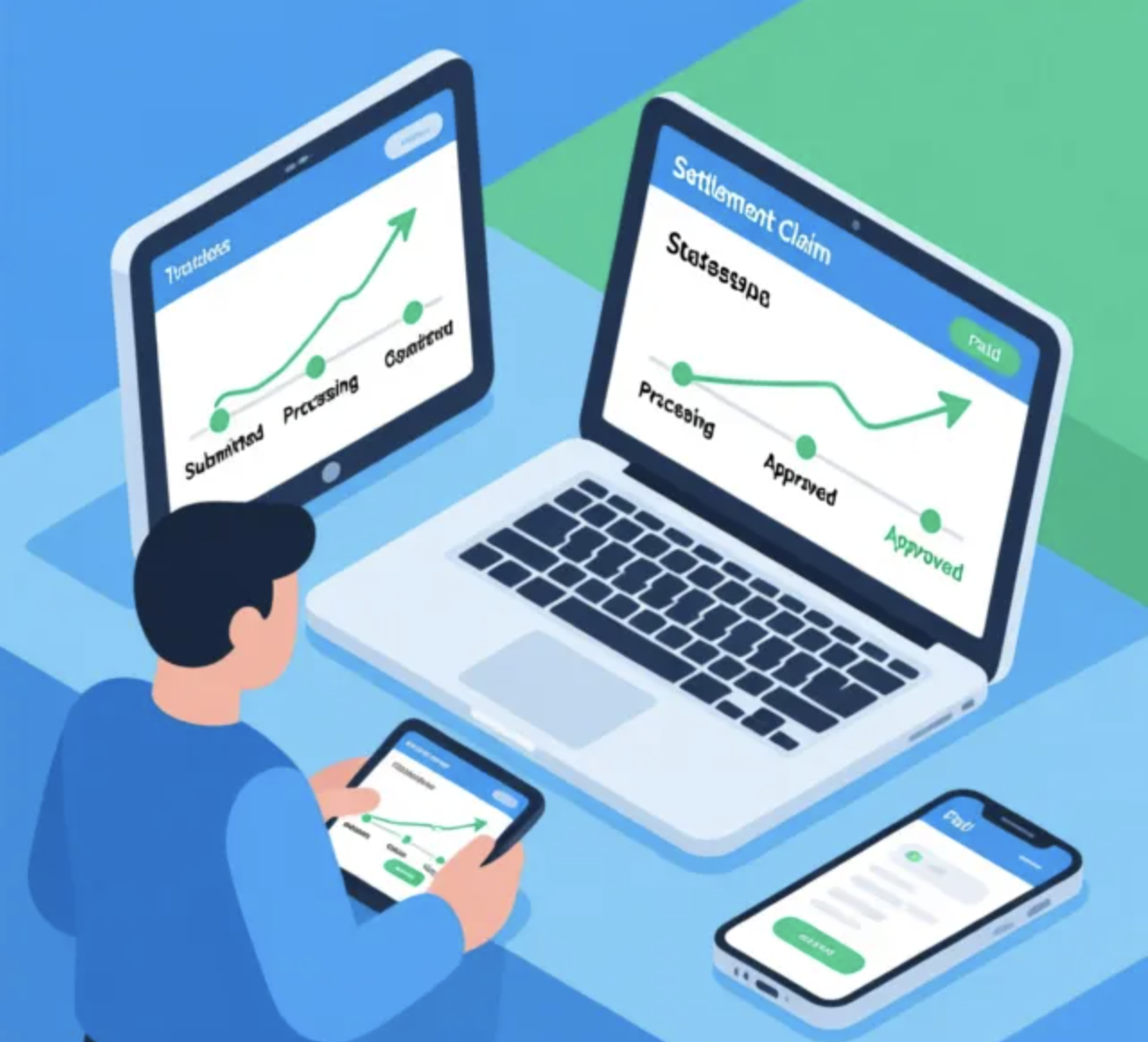
You've submitted your class action settlement claim. Now what? For millions of Americans waiting on settlement payments from Facebook, TikTok, Google, and other major corporations, the waiting game can be frustrating. You check your email constantly, wondering: Was my claim approved? When will I receive payment? Has my check been mailed yet?
The good news: virtually every major class action settlement has an online tracking system where you can check your claim status 24/7. The bad news: finding these portals and understanding what the status messages mean can be confusing. Each settlement administrator uses different terminology, and status updates can be sparse.
This comprehensive guide will show you exactly how to track your settlement claim status, decode confusing status messages, understand typical processing timelines, and take action if your claim seems stuck. Whether you're waiting on a $17 payment from Facebook or thousands from a data breach settlement, we'll help you navigate the process.
Official Settlement Portals: Where to Check Your Status
Every class action settlement has a dedicated website administered by a third-party claims administrator. These independent companies (like Kroll, Settlement Administrators LLC, or Rust Consulting) handle all claim processing independently from the courts and the defendant companies.
Major Settlement Tracking Portals (2025-2026)
| Settlement | Tracking Website | Administrator |
|---|---|---|
| Facebook Privacy Settlement | facebookuserprivacysettlement.com | Settlement Administrators LLC |
| TikTok Privacy Settlement | tiktokprivacysettlement.com | Kroll |
| Google Location Data Settlement | googlelocationsettlement.com | Ankura |
| Payment Card Settlement | paymentcardsettlement.com | Kroll |
| Blue Cross Blue Shield Settlement | bcbsprovidersettlement.com | Settlement Administrators LLC |
| T-Mobile Data Breach Settlement | t-mobilesettlement.com | Kroll |
| Equifax Data Breach Settlement | equifaxbreachsettlement.com | JND Legal Administration |
Pro Tip: Bookmark the tracking website immediately after submitting your claim. Settlement administrators typically shut down these portals 1-2 years after final payments are distributed, so don't wait to check your status.
How to Check Your Settlement Claim Status: Step-by-Step
1Locate Your Claim ID or Confirmation Number
When you submitted your claim, you should have received an email confirmation containing your unique Claim ID or Confirmation Number. This typically looks like:
- Example format: CLM-123456789 or FB-2025-ABC123
- Check your email inbox, spam folder, and promotions folder
- If you can't find it, most portals allow you to search by your name and email/address
2Visit the Official Settlement Website
Navigate to the settlement's official website (refer to the table above). Look for links labeled:
- "Check Claim Status"
- "Track My Claim"
- "Claim Lookup"
- "Submitter Login"
3Enter Your Information
Most portals offer two lookup methods:
- Claim ID Lookup: Enter your Claim ID + zip code or email address (fastest)
- Personal Information Lookup: Enter your full name + address or email address (useful if you lost your Claim ID)
4Review Your Claim Status Dashboard
Once logged in, you'll see your claim dashboard displaying:
- Current Status: Where your claim is in the processing queue
- Submission Date: When you filed your claim
- Claim Type: Cash payment, reimbursement, etc.
- Payment Amount: If approved, this will show your estimated payment
- Payment Method: How you'll be paid (check, direct deposit, PayPal)
- Estimated Payment Date: When funds are expected to be distributed
5Check Back Regularly (But Don't Obsess)
Settlement administrators update claim statuses in batches, not in real-time. Good checking intervals:
- First 30 days: Check weekly
- Days 31-90: Check bi-weekly
- After 90 days: Check monthly
- After approval: Check weekly as payment date approaches
What Each Claim Status Means
Different settlement administrators use different terminology for claim statuses. Here are the most common status messages and what they mean for your payment:
Approved / Eligible / Valid
Best news possible! Your claim has been reviewed and approved. You're in the payment queue. Payment will be distributed according to the settlement's distribution schedule (typically within 30-90 days of approval, depending on the settlement). Your dashboard may show an estimated payment date.
Processing / Under Review / Pending
Your claim has been received and is in the review queue. This is normal and can take 60-180 days depending on the settlement size. The administrator is verifying your eligibility against the settlement criteria (e.g., confirming you had a Facebook account between certain dates, lived in an affected area, etc.). No action needed from you unless they request additional documentation.
Documentation Needed / Additional Information Required
The administrator needs more information to process your claim. This is time-sensitive—you typically have 14-30 days to respond before your claim is denied.
Action required: Check your email (including spam) for instructions. Common requests include:
- Proof of account usage (screenshots, transaction records)
- Proof of residence (utility bill, driver's license)
- Proof of purchase (receipts, credit card statements)
- Affidavit verification (notarized statement)
Denied / Ineligible / Invalid
Your claim was not approved. This can happen for several reasons:
- You didn't meet the settlement's eligibility criteria
- You submitted incomplete information
- You missed the documentation deadline
- Your claim was determined to be fraudulent or duplicate
Options: You typically have the right to appeal a denial within 30-60 days. Check the settlement website for appeal instructions or contact the administrator directly.
Payment Scheduled / Payment Processed
Your payment has been initiated! If you selected direct deposit, funds should appear in your account within 3-5 business days. If you chose a paper check, it was mailed on the date shown. Allow 7-14 business days for check delivery. Some settlements use virtual credit cards or PayPal, which will arrive via email.
Received / Awaiting Review
Your claim has been submitted and is queued for review. This initial status typically lasts 2-4 weeks before moving to "Processing." Nothing to worry about—this just means the administrator has received your claim and it's waiting to be assigned to a claims reviewer.
Settlement Claim Processing Timeline: What to Expect
Understanding the typical timeline helps manage expectations and reduces anxiety. Here's how long each stage takes for most major settlements:
Claim Submitted
You file your claim online. Immediate confirmation email sent with Claim ID. Status: "Received" or "Awaiting Review."
Review Begins
Your claim is assigned to a reviewer. They verify eligibility against settlement criteria. Status changes to "Processing" or "Under Review."
Documentation Window (If Needed)
If additional proof is needed, you'll receive an email request. You have 14-30 days to respond or claim may be denied. Many claims never reach this stage.
Review Complete
Most claims are reviewed and approved/denied by day 90. Status updates to "Approved" or "Denied." Large settlements (Facebook, TikTok) may take 120-180 days due to claim volume.
Payment Distribution
After approval, payments are distributed in batches. This can take 30-90 additional days depending on the settlement's payment schedule. You'll receive an email when payment is processed.
Funds Received
Most claimants receive payment within 6 months of submission. Direct deposit arrives fastest (3-5 business days), paper checks take 7-14 business days, virtual cards arrive via email instantly.
Reality Check: These timelines are typical but not guaranteed. The Facebook privacy settlement (2023) took over 18 months for some payments due to 17 million claims. The Equifax breach settlement took 12+ months. Patience is key—don't panic if your claim takes longer than expected.
Settlement Administrator Contact Information
If your claim seems stuck, you've received a confusing status message, or you need to update your information, contact the settlement administrator directly. Do not contact the defendant company (Facebook, Google, TikTok, etc.)—they have no access to claim data.
Kroll Settlement Administration
Manages: TikTok, Payment Card, T-Mobile settlements
Settlement Administrators LLC
Manages: Facebook, BCBS settlements
Ankura
Manages: Google Location Data settlement
Rust Consulting
Manages: Various consumer settlements
Before Contacting Support: Have your Claim ID, full name, and email address ready. Check the settlement website's FAQ section first—most common questions are answered there. Expect 3-5 business days for email responses and potential hold times of 20+ minutes when calling.
Mobile Apps for Settlement Tracking
While most settlements don't have official mobile apps, third-party tools can help you track multiple claims from one dashboard. These apps are especially useful if you've filed claims for multiple settlements.
Settlemate (iOS/Android)
Settlemate is a free app that tracks class action settlements and sends you deadline reminders. It monitors over 500 active settlements and can sync with your email to automatically find claims you've filed.
- Features: Claim tracking, deadline alerts, new settlement notifications
- Cost: Free with premium subscription available
- Platforms: iOS App Store, Google Play Store
Class Action Rebates Website (Mobile-Optimized)
While not an app, ClassAction.org is mobile-optimized and offers the most comprehensive database of active settlements. Create a free account to bookmark settlements you've filed claims for.
- Features: Settlement database, filing guides, deadline tracking
- Cost: Free
- Website: classaction.org
Warning: Be cautious of apps claiming to "automatically file claims" or "guarantee payments." Legitimate settlement tracking apps should never ask for your Social Security number or bank account information. Only enter sensitive data on official settlement administrator websites.
Frequently Asked Questions
How often should I check my claim status?
Check weekly for the first month, then every 2-4 weeks. Settlement administrators update statuses in batches, not real-time. Obsessive daily checking won't speed up the process and will only increase anxiety.
My claim has been "Processing" for 6 months. Is this normal?
For mega-settlements like Facebook (17 million claims) or TikTok, yes. These claims take longer due to volume. If your claim has been processing for over 9 months, contact the settlement administrator to confirm it wasn't lost in the system.
I lost my Claim ID. Can I still check my status?
Yes. Most portals allow you to look up claims using your full name and email address or mailing address. However, having your Claim ID makes lookup faster, so always save confirmation emails.
Can I update my payment method after my claim is approved?
It depends on the settlement. Some allow payment method changes until a certain deadline; others lock payment method once approved. Contact the settlement administrator immediately if you need to make changes—don't wait until payment is issued.
Why did my claim get denied?
Common reasons: (1) You didn't meet eligibility criteria, (2) You submitted incomplete information, (3) You missed the documentation deadline, (4) Your claim was a duplicate. Most settlements allow appeals within 30-60 days—check the website for appeal instructions.
How will I receive my payment?
Most settlements offer three payment methods: (1) Paper check mailed to your address, (2) Direct deposit to your bank account, (3) Virtual credit card or PayPal. Direct deposit is fastest but requires you to provide bank account information during claim submission.
Do I need to pay taxes on settlement payments?
It depends. Settlements for personal physical injuries are generally tax-free. Settlements for lost wages, business losses, or emotional distress are taxable. Most privacy/data breach settlements under $600 don't issue tax forms, but you're still legally required to report the income. Consult a tax professional for your specific situation.
What if my check is lost or never arrives?
Contact the settlement administrator if your payment hasn't arrived within 30 days of the payment date shown on your claim dashboard. They can issue a replacement check, but this may take 4-6 weeks. Direct deposit is safer if you're concerned about mail theft.
Find More Class Action Settlements You're Eligible For
Don't leave money on the table. Reclaimr helps you discover class action settlements you may have missed.
Reclaimr scans hundreds of active settlements to find opportunities, ensuring you never miss out on compensation you're owed.
Discover More SettlementsBottom Line
Tracking your settlement claim status doesn't have to be a mystery. Every major settlement has an online portal where you can monitor your claim's progress 24/7. Understanding what each status means, the typical processing timeline, and how to contact the settlement administrator gives you control over the process.
Remember: patience is key. Settlement administrators process millions of claims, and this takes time. Most approved claims are paid within 6 months of submission, though mega-settlements can take 12+ months. Check your status periodically, respond quickly to documentation requests, and keep your confirmation emails in a safe place.
And most importantly: don't stop at one settlement. If you qualify for one class action, you likely qualify for others. Use Reclaimr to discover more settlements you're eligible for before deadlines pass. Billions in settlement funds go unclaimed every year simply because people don't know they qualify—don't let that be you.